CirclerAI
An AI bookkeeping assistant that turns receipts into reviewed accounting entries.
- Duration
- 3 months
- Research to developer handoff
- Role
- Product designer
- Team size
- 5 people
- 1 PM, 3 engineers, 1 designer
- Platform
- Web app
- Industry
- Fintech / accounting
- Location
- Remote
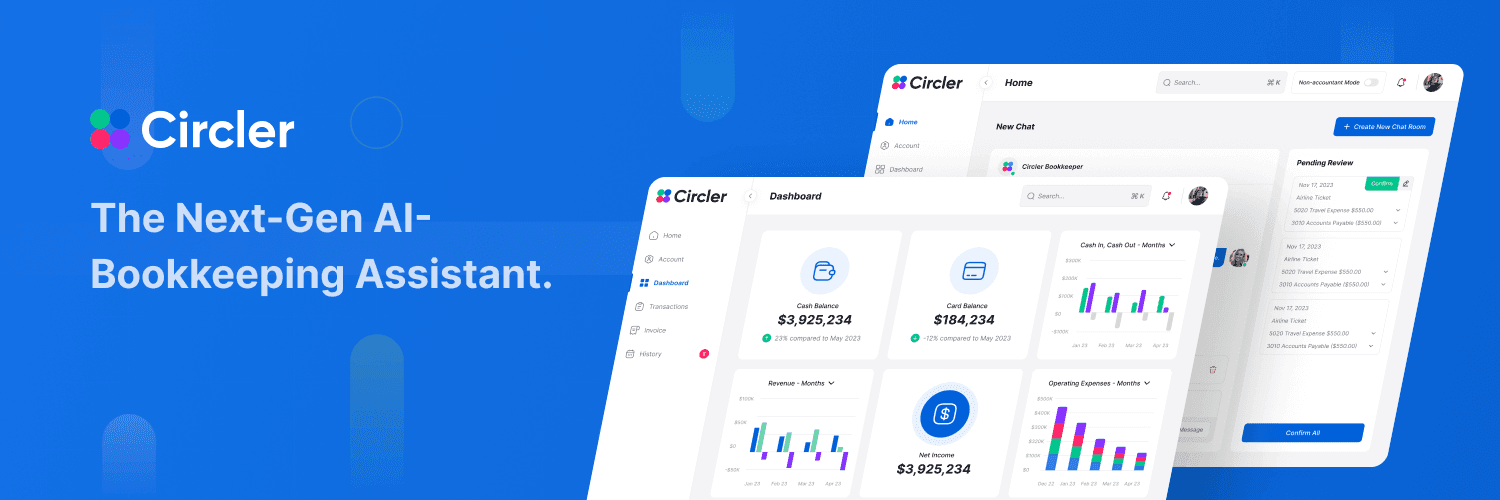
Results & impact.
Early pilot results with small businesses and their accountants.
- 70%Less manual entryReceipts drafted automatically
- 3xFaster month-end closeReconciliation time reduced
- 92%Drafts acceptedEntries confirmed without edits
- 2 minReceipt to reviewed entryAverage time per receipt
- 85%Owner satisfactionPilot survey score
Where it started.
Circler is an AI bookkeeping assistant for small businesses and their accountants. You send it a receipt or describe an expense, and it sorts the transaction and drafts the journal entry. The challenge was making automated bookkeeping something people trust, and usable by business owners who aren't accountants.

The core problem
Interviews showed the work wasn't hard, it was repetitive, and owners didn't trust themselves to get it right. The real problem was confidence, not effort.
- 01
Bookkeeping is manual
Receipts are sorted and entered by hand, which is slow and leads to errors.
- 02
Reconciliation is tedious
Matching bank statements to accounting records takes time and produces mismatches.
- 03
Invoicing lives elsewhere
Creating and sending branded invoices means another tool and more manual work.
- 04
Built for accountants only
Accounting software assumes accounting knowledge that many business owners don't have.
Business goals
- 01
Cut manual data entry
Turn receipts and messages into entries without typing
- 02
Make AI output trustworthy
Nothing reaches the books without a person confirming it
- 03
Serve owners and accountants
One product for two very different levels of expertise
- 04
Bring invoicing in-house
Create and send branded invoices from the same workspace
Research & insights.
We interviewed small-business owners and accountants, reviewed the bookkeeping tools they used, and followed how a receipt moved from a pocket to the books.


- 01
Owners put bookkeeping off
Receipts piled up for weeks because entering them felt like a chore with no immediate payoff.
- 02
Accountants want control, not magic
They accepted automation when they could see and correct each entry before it was recorded.
- 03
Jargon is the real barrier
Owners understood their money well, but debit, credit and ledger terms made them second-guess every entry.
Design principles
We reframed the brief from "automate bookkeeping" to "how might the AI do the typing while people keep the decisions?"
Human in the loop
The AI drafts every entry, and a person confirms it. Speed never costs control.
Show the AI's working
Each draft links to its receipt and shows the category it chose, so a wrong guess is easy to spot.
One product, two depths
The same books, shown simply for owners and in full detail for accountants.
How the design evolved.
The work ran in five phases, each building on what the last one found.
- 01
Research
Reviewed the client's goals and the bookkeeping tools owners and accountants used
- 02
User flows
Mapped how a receipt becomes a reviewed entry, and the invoicing flow
- 03
Wireframes
Sketched the chat, the review panel and the invoice builder in low fidelity
- 04
UI design and prototype
High-fidelity screens and a clickable prototype of the review flow
- 05
Design system and handoff
Shared components and specs for the developers
From wireframes to final design
Early prototypes split the chat and the review into separate pages. Testing showed people lost track of what they had just asked for.
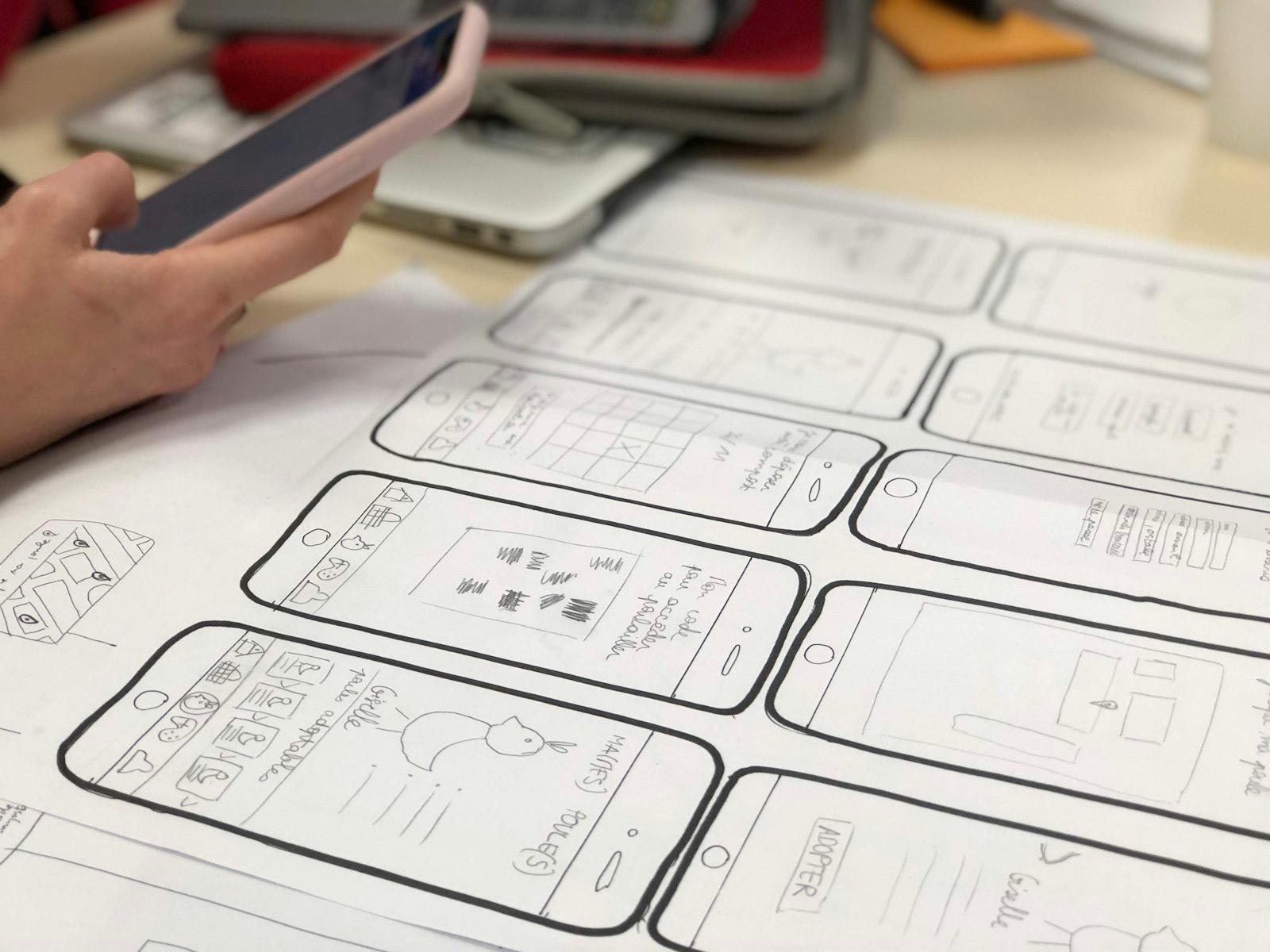
Issues found
- Chat and review lived on separate pages
- Drafts gave no hint of where the data came from
- Accounting terms everywhere
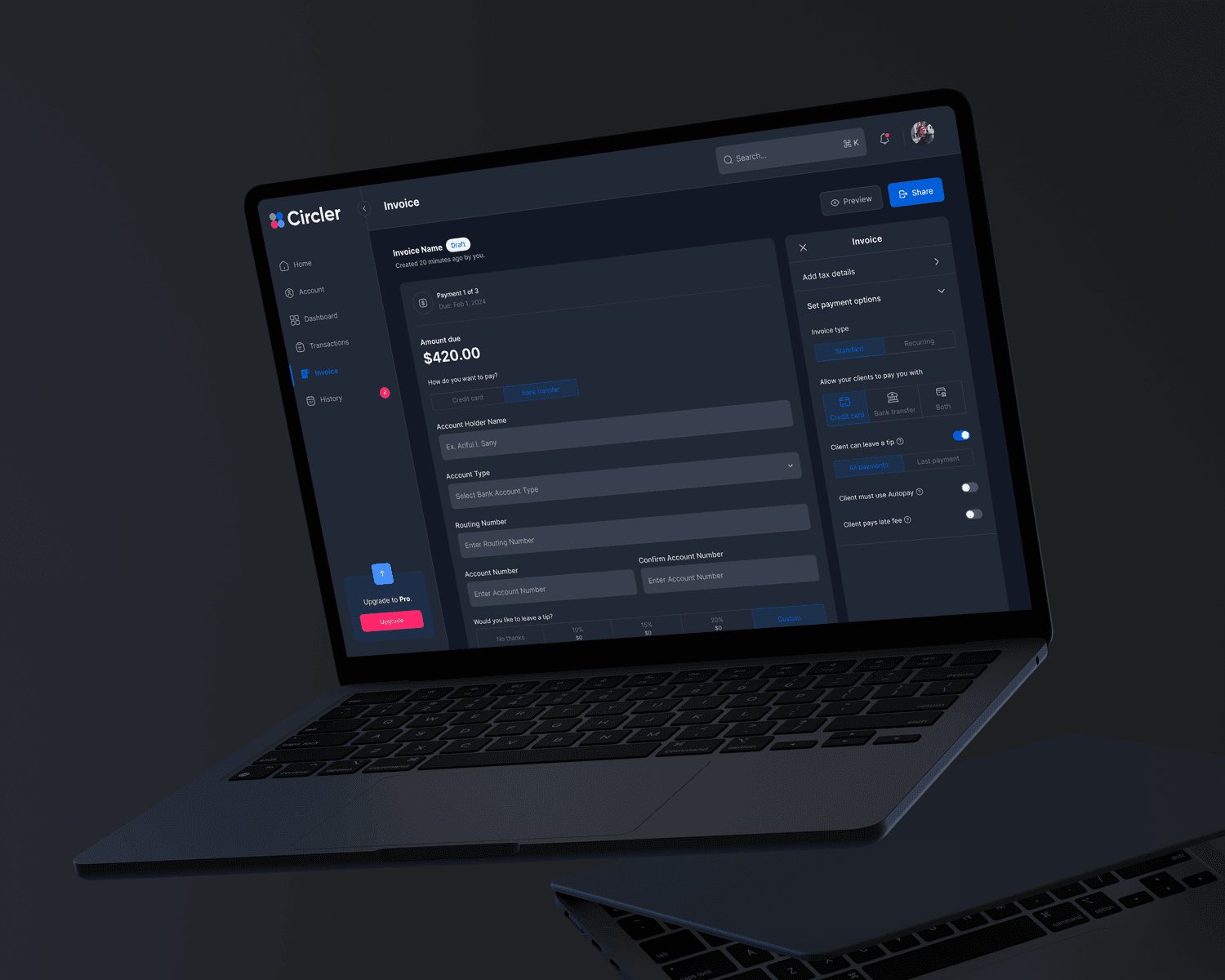
Improvements
- Review panel beside the chat
- Each draft links to its receipt
- Non-accountant mode with plain labels
Final solution.
Every decision answers the same question — how much should the AI do on its own?
- Solution 01
The AI drafts, people confirm
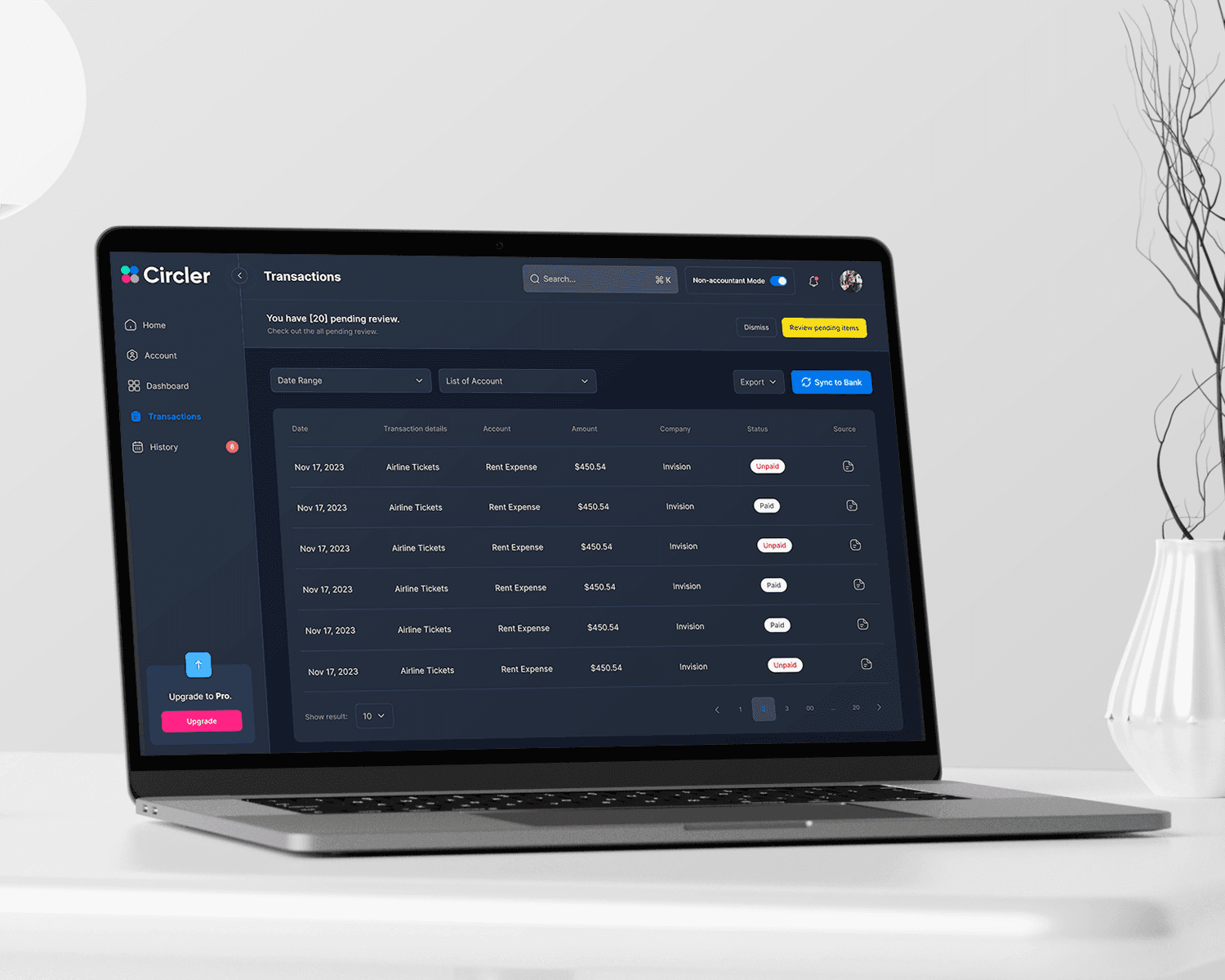
An automated entry is only useful if people trust it, and a wrong entry in the books is costly to find later. The bookkeeper drafts entries from a receipt or a chat message, but nothing is recorded until someone confirms it. Drafts wait in a Pending review panel beside the chat, to confirm one at a time or all at once.
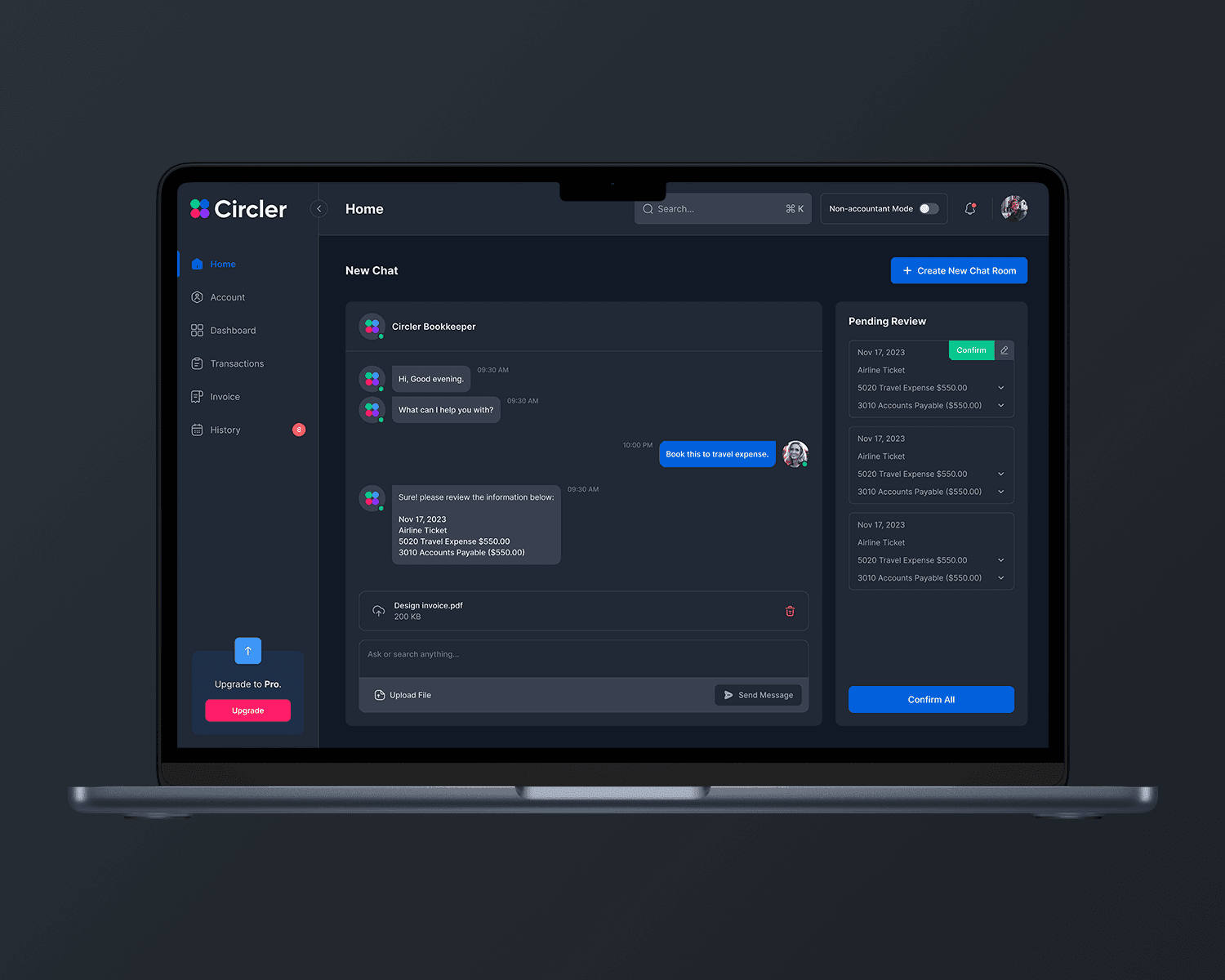
- Solution 02
One switch for non-accountants
Business owners and accountants need different levels of detail from the same books. A Non-accountant mode switch in the header gives owners a simpler view of the same data, so both can work in one product instead of two.
- Solution 03
Invoices with the business's own branding
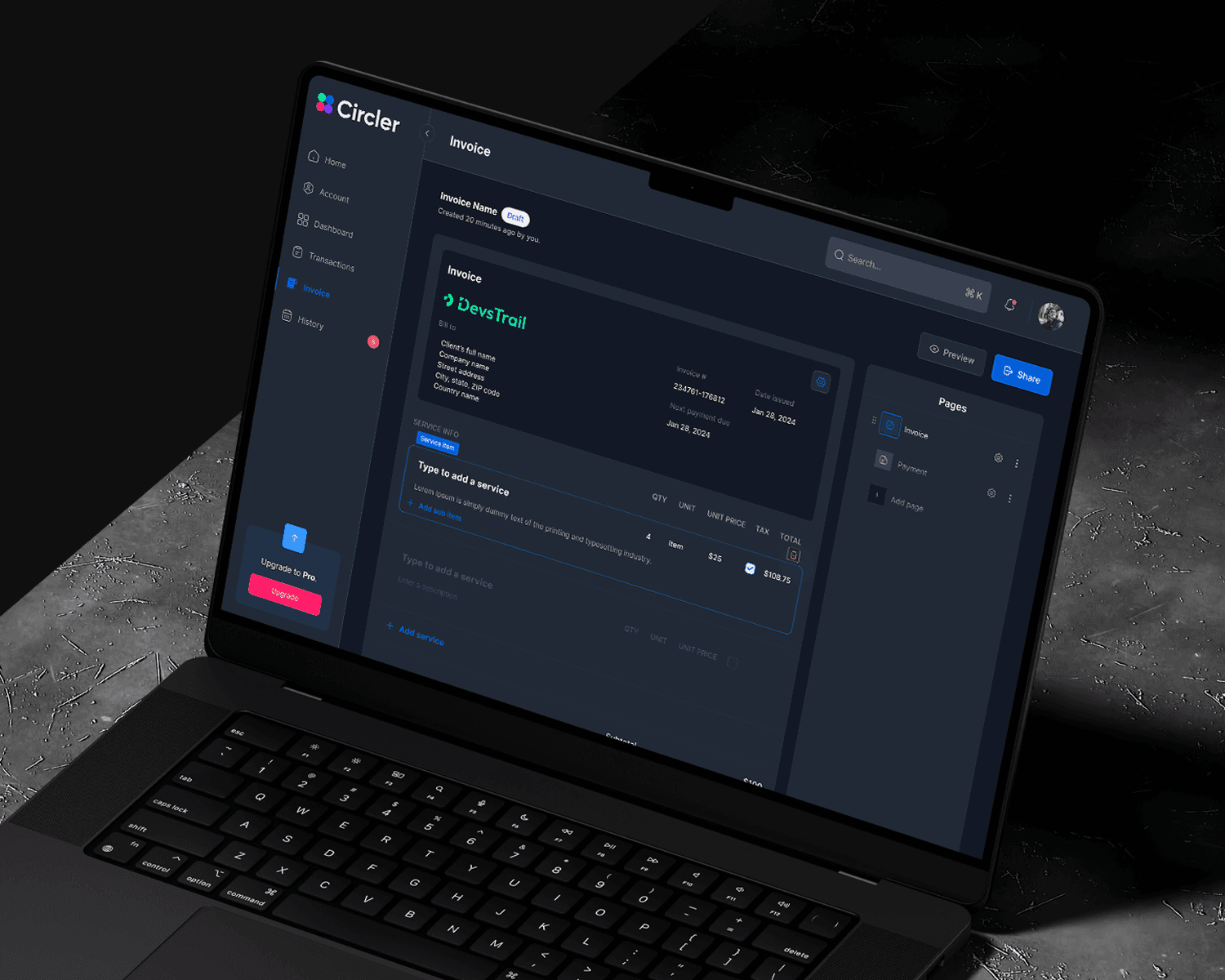
Invoicing was manual and generic, with no room for the business's brand. The invoice builder lets a business add its logo, list services line by line, preview and share, with payment options set on the same page.
Key features
Also in the app, alongside the three decisions above.
Receipt scanning
Snap or forward a receipt; OCR reads it and drafts the entry with the right category.
Bank sync & reconciliation
Bank transactions are matched to entries automatically, with mismatches flagged for review.
How I used AI.
CirclerAI is an AI product, so most of the design work was deciding how the AI should behave.
Designing the AI features
Receipts in, entries out
OCR reads a receipt, the transaction is categorised automatically, and the result is drafted as a journal entry for review.
Asking in plain language
A chat lets people record an expense or ask about their finances by typing, instead of navigating accounting screens.
Research synthesis
Clustered interview notes into themes, then checked each one against the transcripts.
Realistic prototype content
Generated sample receipts and transactions so prototypes looked like real books.
Where I overruled it
It suggested auto-posting high-confidence entries. Accountants wanted to review every entry, so I kept the confirm step.
What people said
“I send a photo of the receipt and it's done. I haven't opened a spreadsheet in a month.”
“I can see exactly what the AI did and why, so I'm comfortable signing off on it.”
“The plain-language mode made the books make sense to me for the first time.”
What I learned.
- 01
With AI in finance, trust is the feature
The review step costs one click, and it's what makes people willing to let the AI do the rest.
- 02
Two audiences don't need two products
One mode switch kept owners and accountants on the same data.
- 03
Show the source, not just the answer
Linking each draft to its receipt did more for trust than any accuracy number.
- 04
Language is part of the interface
Plain labels for owners removed more friction than any layout change.
What's next
- 01
Tax-ready reports
Generate quarterly tax summaries from confirmed entries
- 02
Multi-currency support
Handle receipts and invoices in more than one currency
- 03
Accountant collaboration
Let accountants comment on entries and request changes in place
Let’s work together.
Hiring a design lead, or planning a product that needs one? Email me at arifulislamsunny@gmail.com or book a call.